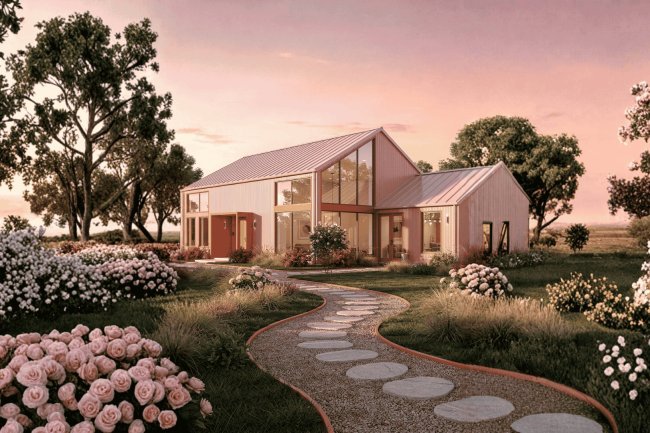
Static Images vs. Walkthrough Animations: Which Is Better for Your Barndominium Project?
Static images or 3D walkthroughs? Compare both visualization methods to choose the best option for planning your barndominium project.
Understanding Your Visualization Options
For most U.S. barndominium projects: Static images are essential for permits, financing, and contractor coordination, while walkthrough animations provide an added layer of design confidence, stakeholder communication, and project visualization.
Framers, electricians, plumbers, and HVAC contractors rely on detailed construction drawings. These plans define dimensions, structural requirements, utility routing, and installation scope for accurate bidding.
Walkthrough animations help homeowners experience ceiling heights, room flow, and spatial relationships. This makes design decisions easier and helps reduce costly changes during construction.
When to Use Each — Practical Guidance for Barndo Builders
Contractor & Subcontractor Bids
Homeowner Design Decisions
Use this comparison to align your visualization choice with your barndominium planning stage and team structure.
Pro Tip for Barndominium Planners: Start with a professionally drafted static floor plan from a trusted source like Barndo Plans, then invest in a walkthrough animation once your design is finalized — this sequence saves time, money, and miscommunication on the job site.
reported fewer design regrets when using 3D visualization before construction.
in mid-build change orders when walkthrough animations were used in pre-construction planning.
rely on static drawings as their primary reference document throughout the build.
Comparing the Two: A Side-by-Side View
Homeowners
Reduction
Contractors
For barndominium projects across the United States, static images and walkthrough animations aren't competing tools — they're complementary ones. Static floor plans are the foundation, while walkthrough animations enhance understanding and marketing impact.
Browse professionally designed barndominium floor plans at Barndo Plans — drafted to US construction standards with full documentation ready for your builder and local permit office.
Use static drawings to communicate changes with your contractor. Annotate room dimensions, utility placement, and structural preferences clearly before any work begins.
Once your plan is locked in, commission a 3D walkthrough animation to experience the space before it's built — and share it with family, investors, or buyers with confidence.
Use Both, Strategically
Start with a proven floor plan
Customize your layout confidently
Add a walkthrough for clarity & excitement
Explore the full library of floor plans at BarndoPlans.com — where serious builders start smart.
What's Your Reaction?